Keep the swing segment
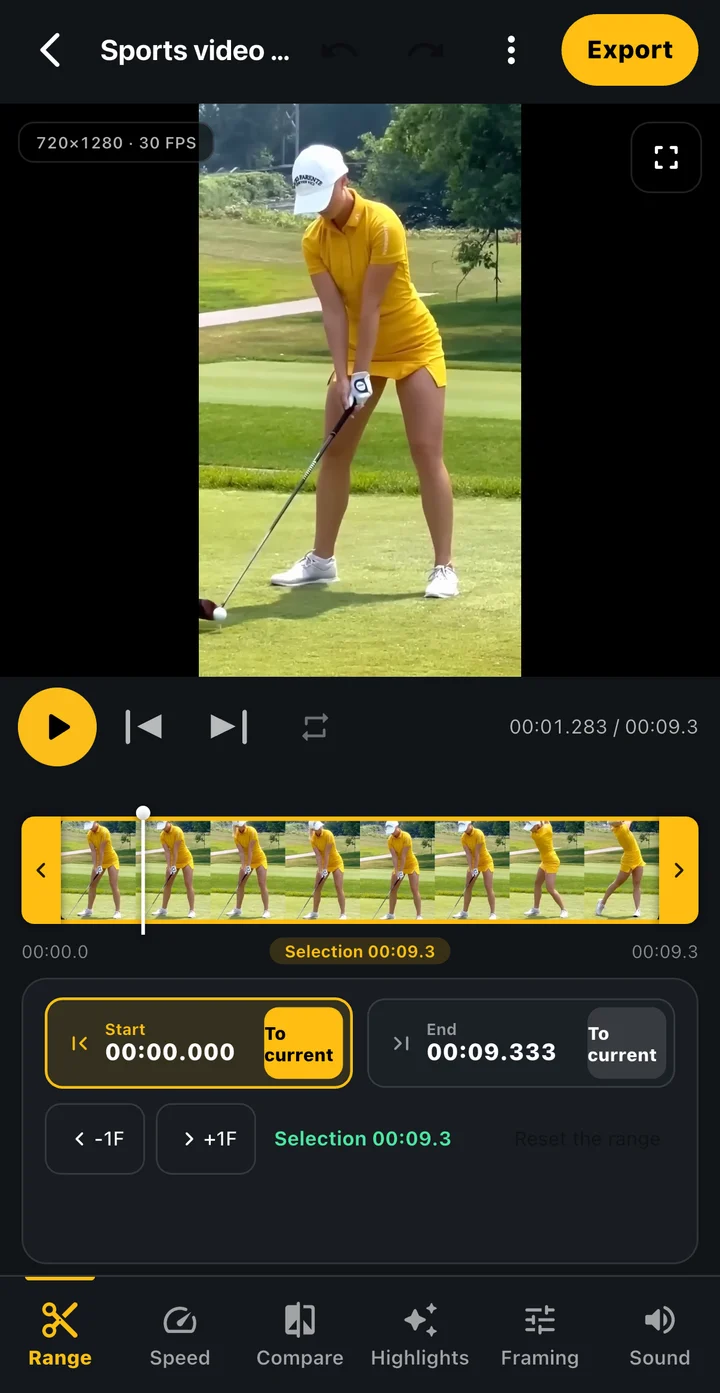
Reduce setup and waiting footage by choosing where the clip starts and ends.
Golf video and round records, together in Tokti Golf
What would you like to do?
All featuresEditing and sharing
Choose the segment you want to keep, then adjust speed and framing. Preview and export the result to save it on your device or share it through an app of your choice.
Create a video focused on the movement you want to show, keep or send.
 Enlarge screen
Reduce setup and waiting footage by choosing where the clip starts and ends.
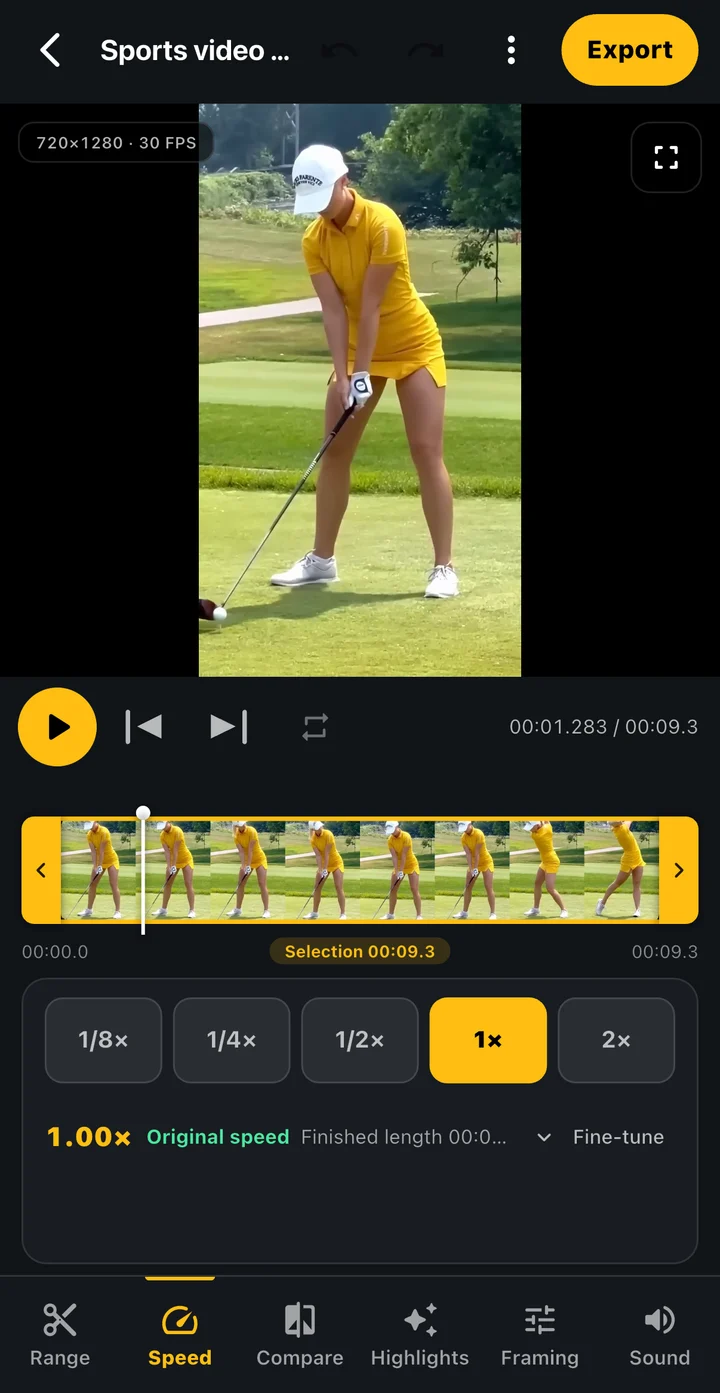
Adjust speed, crop and rotation, then check the result in the preview.
Replay the newly exported file before keeping it on your device or sending it through your phone's share options.
App screens
Explore actual editing screens for choosing a segment and its settings. Watching a clip slowly in the player and creating an edited video file are different tasks.
Set the timeline range to include the swing you need. Check that address and finish are not cut off.
Set the pace and visible area, then preview whether the movement is easy to see.
Replay the completed file, then choose where to save it or which app and recipient to share it with.
 Enlarge screen
Example screens of the Tokti Player module used in Tokti Golf. The layout may vary by app version.
Getting started
Continue to the editor after recording or select a supported video stored on your device.
Keep the swing you need and inspect the result in the preview.
When the export finishes, replay the file. Keep it on your device or send it through the app you choose.
Explore the details
Read the editing and export steps, find a moment to compare or explore organizing saved videos in an album.
The editing workflow creates a new file when you export. Keep important originals separately and check the resulting file.
The player changes the speed at which you watch a clip. To include a chosen speed and segment in a video file, set them in the editor and export it.
Comparison editing lets you arrange two videos, align a reference movement and export the result. Check the available editing options in your installed app.
Save it on your device or choose an app and recipient through your phone's sharing options. Check the video's contents and recipient before sending it.

TOKTI GOLF · Edit & share
Install Tokti Golf, select the moments you need and save or share a result you have checked.
Check the store for device support and in-app purchase details. Check the installed app for available features and analysis conditions.