Look closely at a moment
Lower the playback speed or step forward and backward through frames to inspect a fast movement.
Golf video and round records, together in Tokti Golf
What would you like to do?
All featuresPlayback and comparison
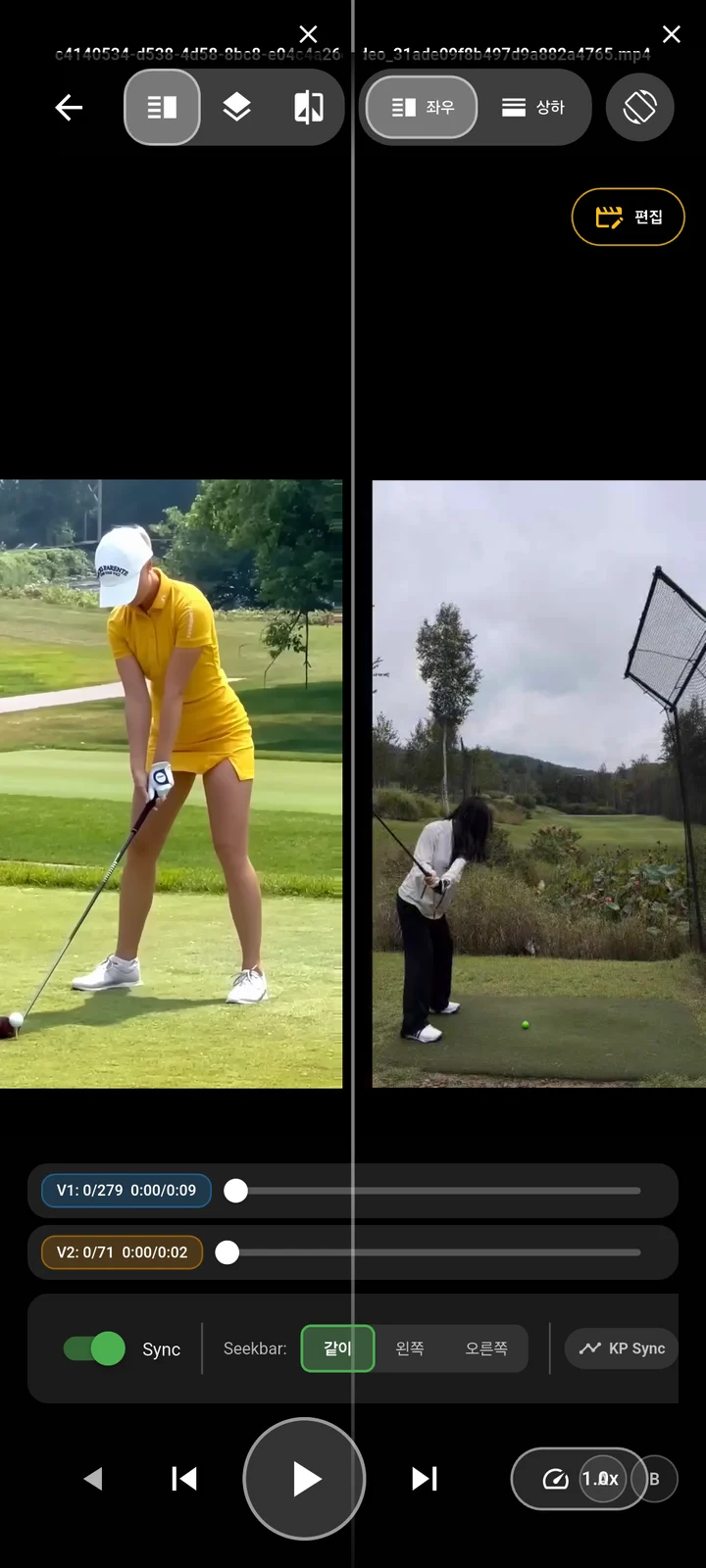
Slow down your swing and loop the segment you want to examine. Align a previous recording with today's swing to compare posture and movement at the same moment.
Revisit a moment you missed and examine the differences between two swings.
 Enlarge screen
Lower the playback speed or step forward and backward through frames to inspect a fast movement.
Set a segment to loop so you can revisit the movement without finding it from the beginning each time.
Align a reference movement in two recordings, then view them side by side or overlaid.
App screens
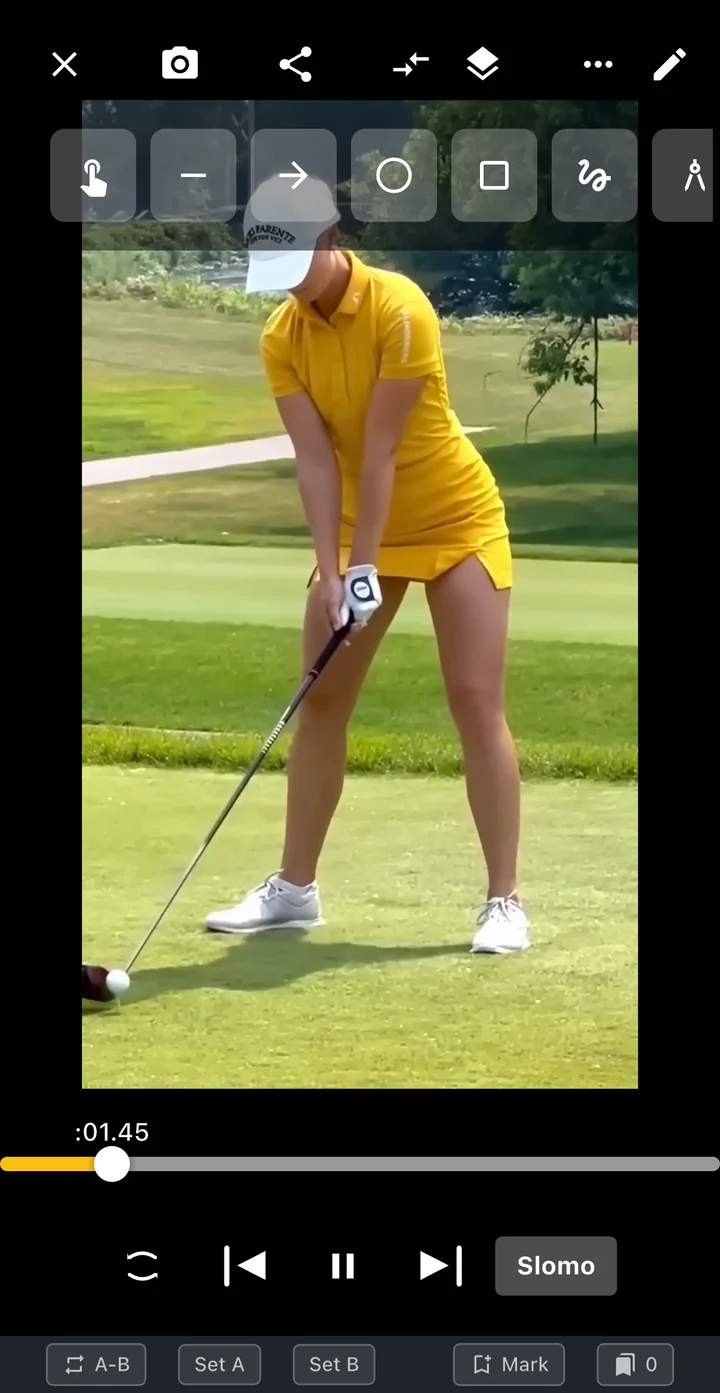
Explore the player for frame stepping and segment loops, alongside the two-video comparison screen. Find the same moment and inspect what has changed.
Find a moment on the timeline, then step through frames to examine your position.
Choose where the segment starts and ends, then watch the movement again.
Match a moment such as address even when the recordings start at different times.
 Enlarge screen
Example screens of the Tokti Player module used in Tokti Golf. The layout may vary by app version.
Getting started
Choose a recording made in the app or a supported video file stored on your device.
Adjust speed and move through frames to find your moment. Loop the segment if you want to revisit it.
Choose a clip with a similar camera view, match a reference movement and compare posture and motion.
Explore the details
Read the frame, loop and comparison guide, or continue to AI explanations and editing a comparison video.
You can start video playback separately from scoring. Open a practice recording or a supported video file stored on your device.
Slow playback shows the recorded frames at a slower pace. It does not create frames or detail that were never captured, so the quality of the original recording matters.
You can align the reference movement you want to compare. Clips made with the same club and similar camera direction and position make differences easier to interpret.
The player's speed setting changes how you watch the video. To keep a file with a different speed, set it in the video editor and export the result.

TOKTI GOLF · Playback & compare
Install Tokti Golf and open a video. Start with the moment you want to see again.
Check the store for device support and in-app purchase details. Check the installed app for available features and analysis conditions.