Frame the whole swing
Position your phone to include your body and club, then prepare the shot with the golf framing guide.
Golf video and round records, together in Tokti Golf
What would you like to do?
All featuresSwing recording
Set up your shot with golf framing guides and a timer. Replay the recording to find a movement to check before your next swing.
Turn the feel of a practice swing into a recording you can examine yourself.
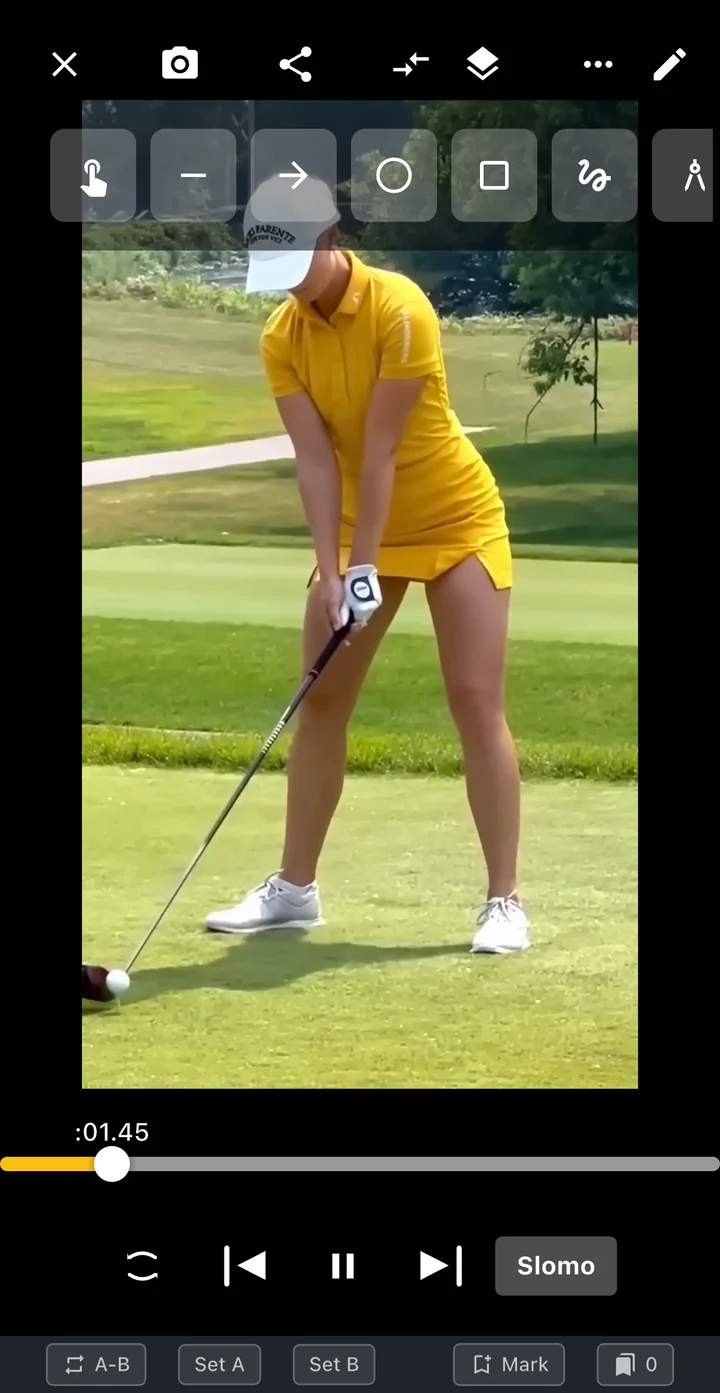 Enlarge screen
Position your phone to include your body and club, then prepare the shot with the golf framing guide.
Set a timer, secure your phone and prepare your stance before recording.
Watch the replay after recording, then open the player for a closer look at a moment.
App screens
Replay your recording to check the framing and motion, then select the swing section to keep. The first screen shows post-recording playback; this screen shows the editor for that recording.
Watch the saved clip through to the finish. Adjust your next camera position if part of the swing is cut off.
Move through the recording to inspect your address, backswing or finish.
Use frame playback to examine the clip, or choose a segment for AI analysis.
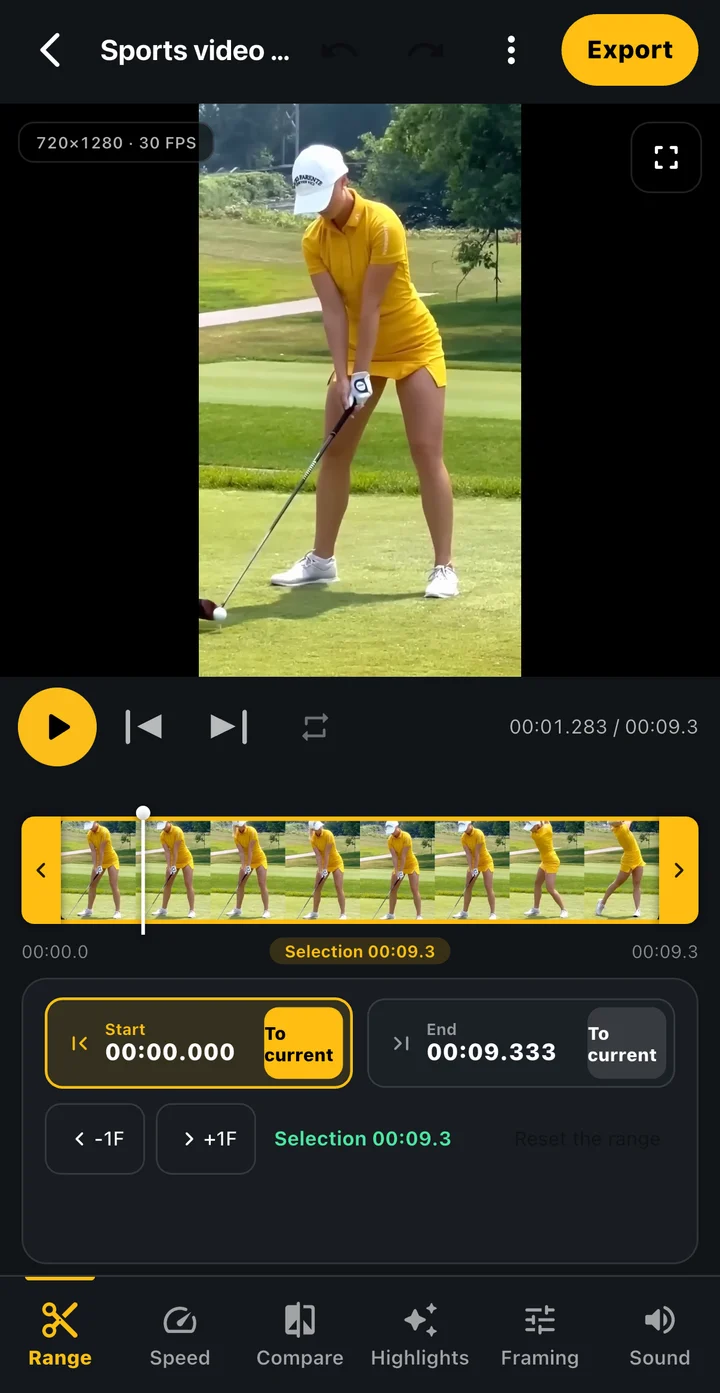 Enlarge screen
Example screens of the Tokti Player module used in Tokti Golf. The layout may vary by app version.
Getting started
Choose a position clear of the swing and other people's movement. Check that your full body and club fit in the frame.
Use the recording screen to frame your swing and choose a timer. Check your device's available recording options before you start.
Check the recording for a cropped swing or camera shake, then choose a movement to review next.
Explore the details
Explore face-on and down-the-line views, recording settings, detailed playback and AI review.
Secure it clear of your swing and other people's movement, with your full body and club visible. For comparison clips, keep the same face-on or down-the-line view and a similar camera position.
You can use the timer to give yourself preparation time. Automatic recording is a separate option to enable where supported; detection can vary with the device and surroundings.
You can open supported video files stored on your device in the player. You do not need to record a new video inside the app to review an existing swing.
Available resolution and frame-rate combinations depend on the device and lens. Check the options in the recording screen and the storage space on your device.

TOKTI GOLF · Swing camera
Install Tokti Golf, prepare your framing and timer, then replay the swing you recorded.
Check the store for device support and in-app purchase details. Check the installed app for available features and analysis conditions.