Frame-by-frame control
Move forward and backward through the motion, slow it down, or repeat a selected interval. Find the exact moment you want to study.
YOUR MOVEMENT. YOUR NEXT LEVEL.
Record. Understand. Improve.
Catch the swing you just made. Find the difference frame by frame. Turn AI feedback into your next practice, and share the moments that matter. All in TOKTI.
Free to download · iOS & Android · Usage limits apply to some features
Find a guide for your practice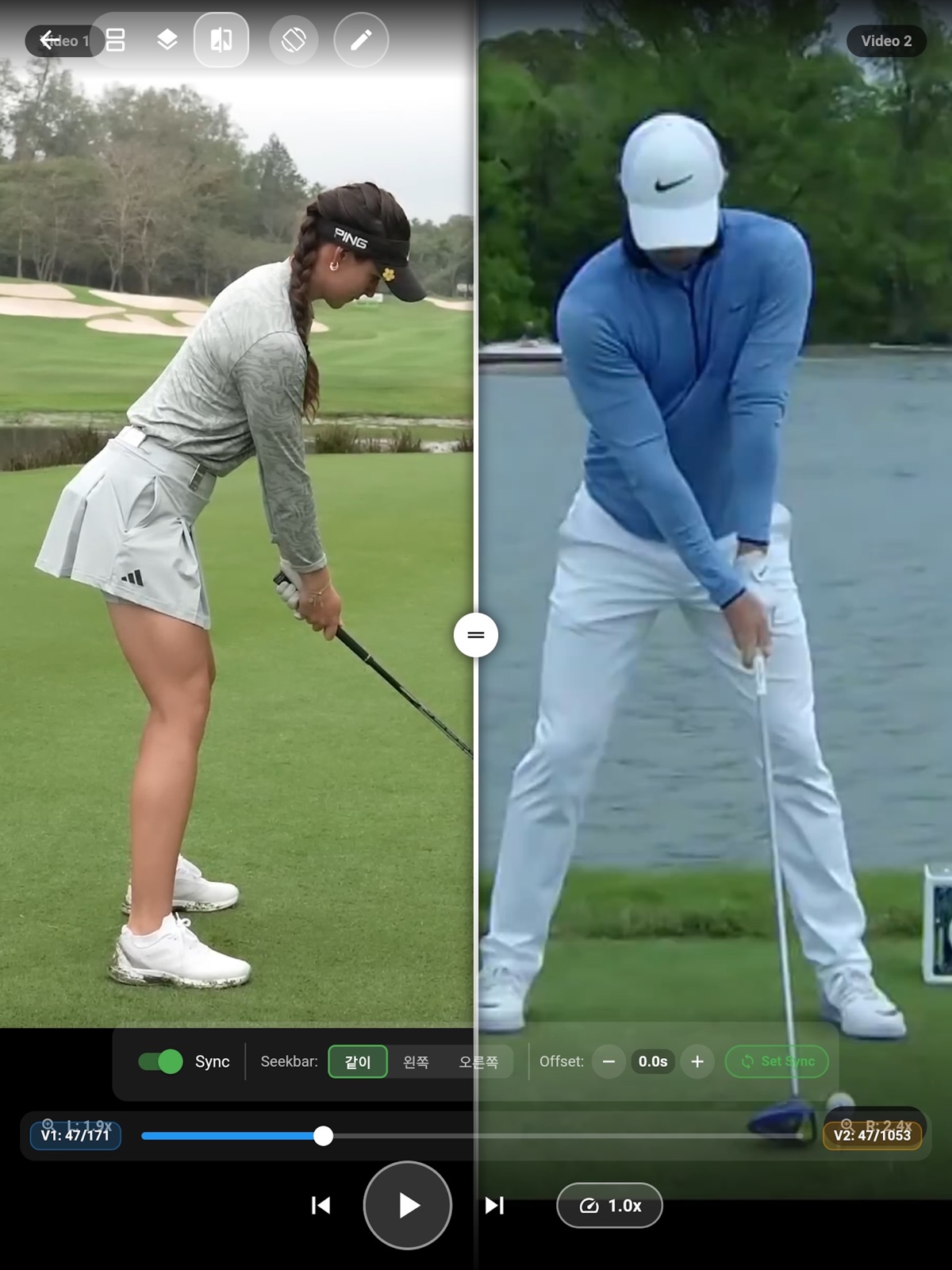
01CAPTURE & INSTANT REPLAY
Set your phone in place and get into your practice. Golf auto capture detects the swing, saves the action, and plays it back so you can review it while the feeling is still fresh.
Capture the action with time before and after the detected swing. Spend less time starting, stopping and searching through a long recording.
Choose replay speed and repetitions. After playback, TOKTI returns to capture standby for your next swing.
Use supported 120/240 fps modes, face-on or down-the-line guides, and a timer to prepare a clear view for analysis.
High frame rates and auto capture depend on your device, lens and shooting conditions. Auto capture and replay: 5 per hour free, unlimited with Elite.
YOUR HANDS-FREE PRACTICE LOOP
Enable auto capture in golf mode, secure the phone, frame your shot and wait for the ready signal.
Let motion detection capture the swing interval.
Review in slow motion at your chosen speed.
Return to capture standby and put your observation into practice.
Capture → replay → capture standby
02PRECISION VIDEO ANALYSIS
A swing happens fast. TOKTI gives you time to look closer: control the frame, align two attempts, and mark what you want to change.
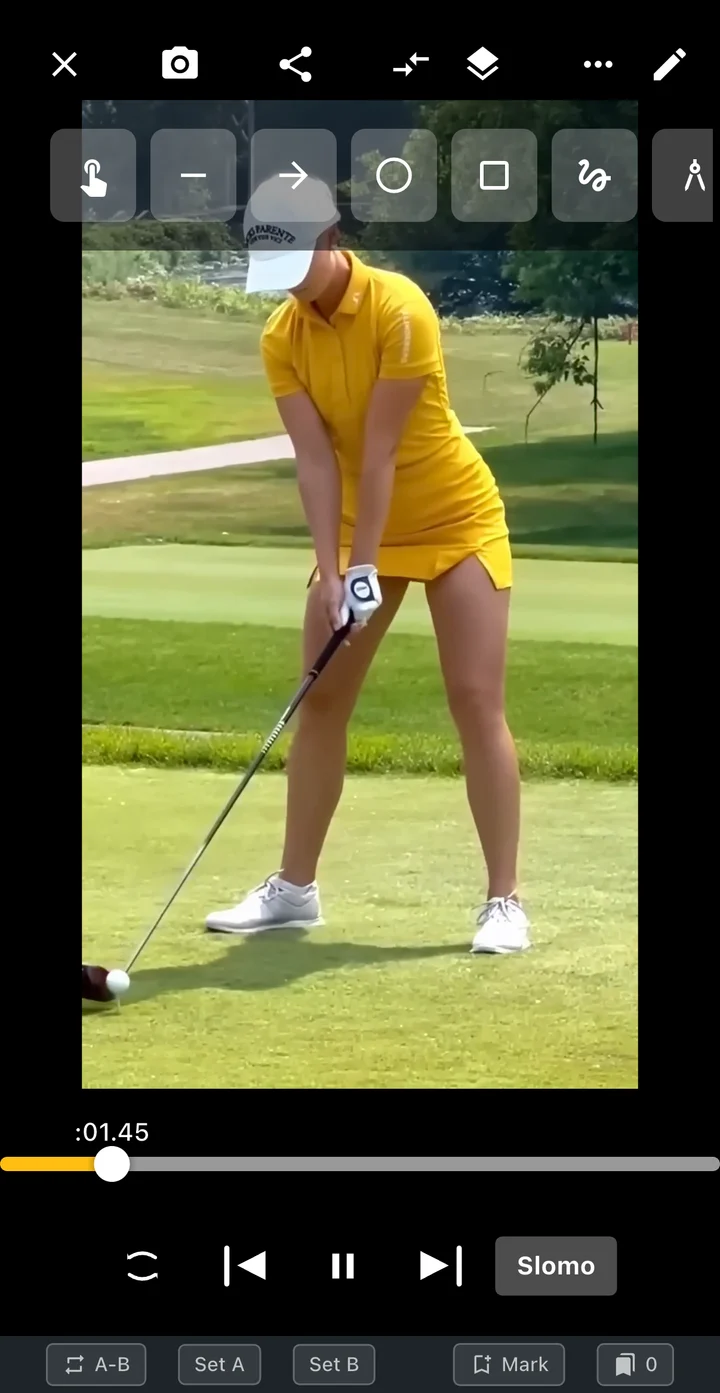
Move forward and backward through the motion, slow it down, or repeat a selected interval. Find the exact moment you want to study.
Place your previous attempt or a reference next to your video. Compare side by side, stacked, overlaid, or in picture-in-picture, with playback timing aligned.
Mark head position, body tilt and other points with lines, shapes and angles. Keep your visual reference on the scene you are reviewing.
Show joint connections and explore address, backswing, top, downswing, impact, follow-through and finish.
Combine successive moments into a sequence image or GIF. Adjust the time range and visual effects to see the flow of the action.
Bookmark key frames and save your annotations. Return to the same point when you review the clip again.
Choose two clips shot from a similar angle, align the same phase, then check one point at a time—your setup, head position or finish.
03AI COACHING
Choose your sport, movement and video interval. The AI coach connects observations to the relevant scenes, highlights priorities, and suggests drills for your next session.
Video-based AI feedback is a reference for practice. Results depend on the view and video quality; analysis requires internet access and available usage credits.
INSIDE YOUR COACHING REPORT
Read the overall assessment, strengths and areas that need attention.
Move from a phase observation to its representative frame and video position.
Focus on the changes to work on first, with context from your motion.
Follow the suggested drills, mark progress and record another attempt.
Check off drills, record a practice attempt, and analyze it again. Put the feedback next to what you actually did.
Review past reports, score trends and recurring observations. See which points keep coming up and how your attempts change over time.
04SPORTS VIDEO EDITOR
Turn a long match into a highlight, a swing into a comparison, or an explanation into a lesson video. Choose the editing workflow that fits your task.
Automatic rally selection suggests candidates from audio and motion. Review the selected scenes before exporting; detection varies with the recording.
05LESSONS & SHARING
A useful lesson points to a specific moment. Combine your voice with the video, send your analysis, or review a shared clip at the same playback position.
Cloud backup and sharing require sign-in and available usage credits. Shared links have an expiration date.
06YOUR VIDEO LIBRARY
Organize your clips with folders, tags and favorites. Search and filter to find the practice you want to revisit.
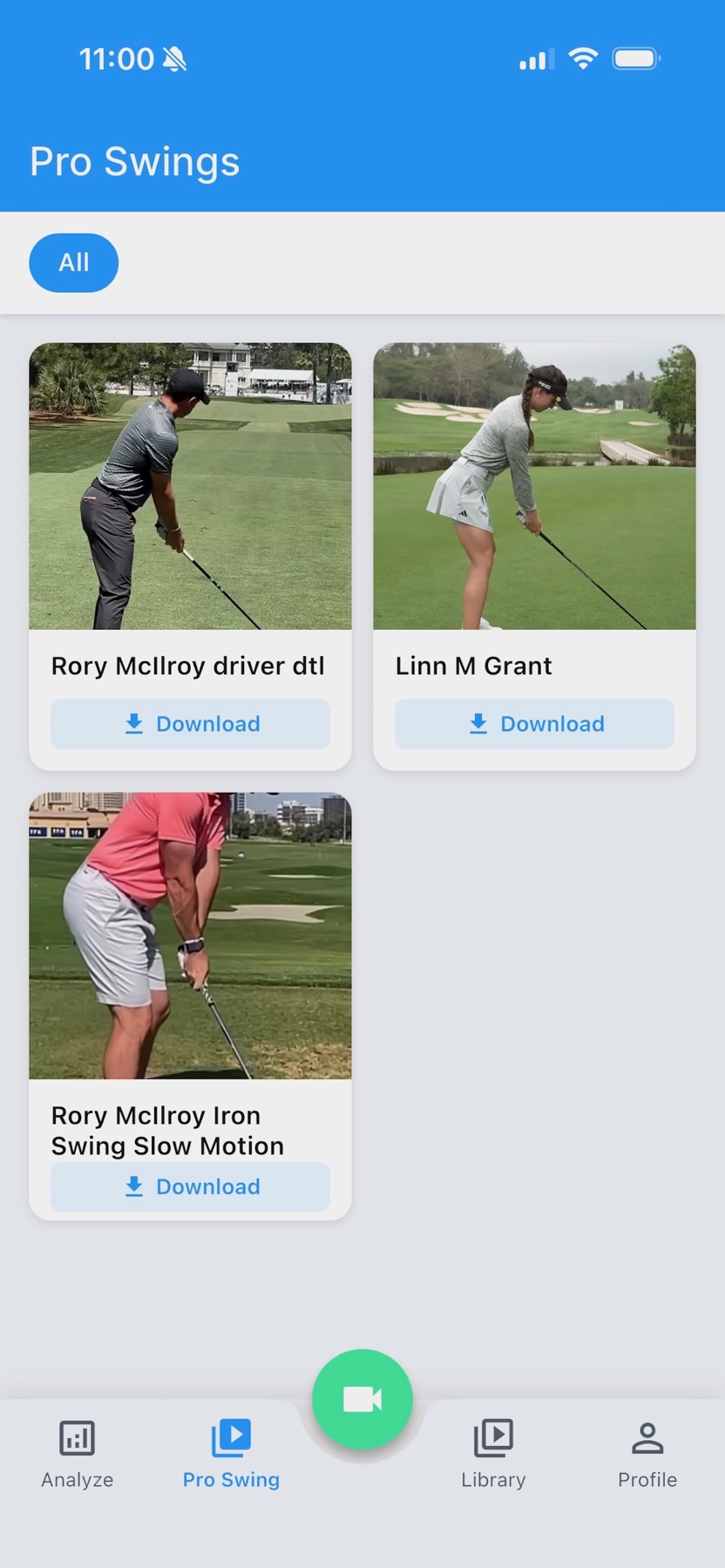
Browse available reference swings and save supported videos for analysis. Keep useful YouTube and social video links together in your video library.
Back up selected videos, check their upload status, and resume pending uploads when you return to the app.
Reference video availability can change. Backup quality and usage limits follow the settings and policy shown in the app.
→FIND YOUR NEXT STEP
Choose what you want to do. Each guide explains the tools, settings and practical steps in detail.
Start with the movement you want to understand.
Slow motion, frame steps and drawing tools.
Hands-free golf capture and instant replay.
Align two clips and inspect the difference.
Read phase feedback, corrections and drills.
Review strokes and the rallies worth keeping.
Skip waiting time and revisit each attempt.
Trim, adjust speed and export a useful clip.
Choose a scene, clip or shared review.
See three full originals and four selected swing clips side by side. Compare the videos ↗
07PRICING · FREE AND ELITE
Recording, frame analysis, comparison, drawing and editing are free for everyone. Elite removes the limits on auto capture, auto rally and attempt split and multi-phone capture, and adds 30 AI coaching reports a month.
FREE
Including 120/240 fps capture, the jog shuttle and both editors. Ads are shown.
TOKTI ELITE · $7.99 / MONTH OR $59.99 / YEAR
Every swing recorded by itself, every match split by rally, every angle captured at once.
Renews automatically unless cancelled and can be managed in your App Store or Google Play account settings. Prices appear in your store's currency.
Free limits reset every month or every hour. Subscription terms are shown on the in-app purchase screen and at tokti.ai/tokti/subscription-terms.
GOOD TO KNOW
The essentials, from supported devices to AI feedback and sharing.
Get in touchTOKTI is a mobile sports video app that connects recording, slow-motion replay, frame analysis, two-video comparison, AI coaching reports, editing and sharing. Start with a new recording or a video already on your device.
TOKTI is free to download on iOS and Android, and recording, frame analysis, comparison, drawing, editing and your library are free. Auto capture (5 per hour), auto rally and attempt split (3 videos a month), multi-phone capture (2 sessions a month) and AI coaching (3 at sign-up + 1 a month) have free limits. TOKTI Elite ($7.99 a month or $59.99 a year) makes the automation unlimited and adds 30 AI coaching reports a month, 5 GB cloud backup and no ads.
Available frame rates and capture modes depend on the device, operating system, lens and resolution. High-speed capture uses supported 120/240 fps modes. Stable framing, good lighting and a clear view of the body help motion detection.
Frame stepping, slow motion, comparison, drawing and editing can be used with many sports videos. The AI coaching catalog includes golf, park golf, tennis, baseball, basketball shooting, climbing and other movements. Automatic swing capture is designed around golf; feature availability differs by sport.
Select the sport, movement and interval to receive an overview, phase observations, correction priorities and suggested drills. Reports depend on what is visible in the recording. Treat them as video-based practice guidance, not as measurements from dedicated motion or ball-tracking hardware.
Export a video with voice commentary or annotations, create a share link, or send a clip to a connected friend or coach. Shared viewing supports synchronized playback and chat. Cloud sharing requires sign-in, available usage credits and a valid sharing period.
Local recording, playback and basic editing work with videos stored on your device. AI coaching, cloud backup, link sharing and online reference content need an internet connection; some services also require sign-in.
Choose Quick Highlight to pick useful scenes from a long racket-sport recording. Use Simple Editor for trimming, speed changes and comparisons. Choose Advanced Editor when you want multiple clips, speed curves, freeze frames and layered captions or audio.
YOUR NEXT PRACTICE STARTS HERE
Start with a video you already have, or record your first swing with TOKTI.
Free to download. Elite from $7.99 a month or $59.99 a year.