01 / PREPARE
Before you start
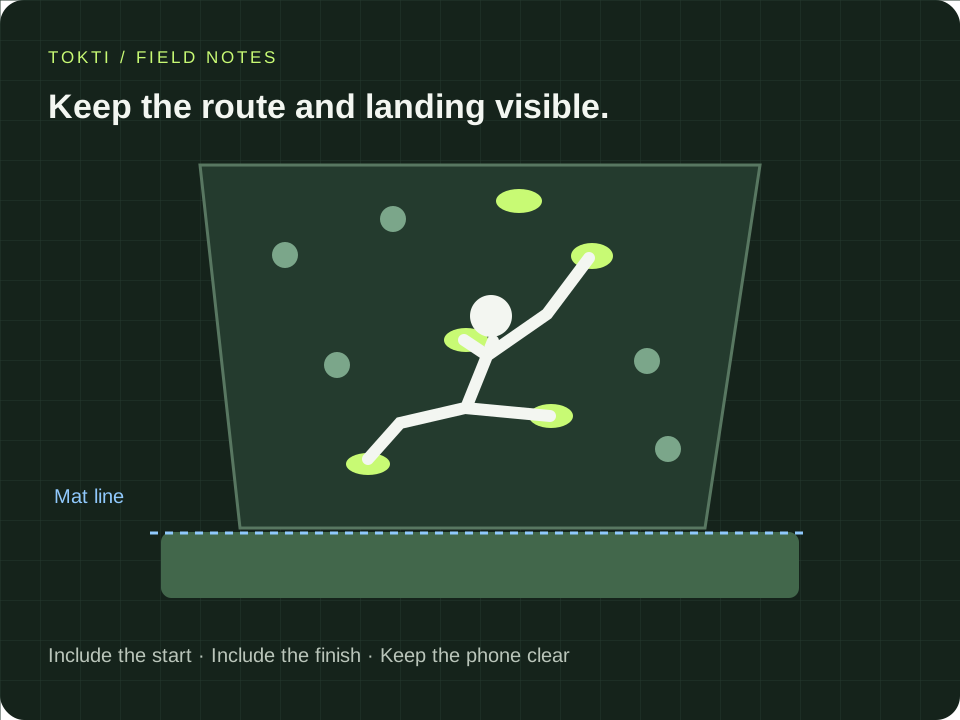
- Use a fixed view that includes the climber and the relevant route.
- Place the phone outside the landing zone and keep access clear.
- Avoid framing that hides feet or the end of the attempt.
- Keep the camera position unchanged when comparing attempts on the same route.
02 / FEATURES
Understand how an attempt becomes a clip
Climbing review starts with a long recording and a clear reference for the mat. The useful result is an attempt interval you have checked, with the hand and foot sequence still visible.
- Mat reference
- Check where the mat boundary appears in the frame and adjust the app’s reference when needed. Feet lifting from and returning toward that area help distinguish attempts from waiting. A shifted camera or hidden feet can make the boundary less useful.
- Attempt list and boundaries
- The analysis proposes individual attempts from the session. Open each useful candidate and check its start and finish. Keep the initial position and the end of the movement, rather than relying on the label alone.
- Attempt-only playback and looping
- Attempt-only playback skips intervals outside the proposed attempts. A loop repeats the selected attempt or interval so you can focus on a hand change, foothold or transition without repeatedly seeking through the full session.
- Save an attempt for comparison
- Save the reviewed interval as its own clip, keeping the full recording for context. Compare the same route and a similar camera view. Share the relevant clip when you want to discuss a sequence with a partner or coach.
03 / WORKFLOW
Step by step
Open the climbing recording
Choose the long recording and open climbing analysis. Use a clip in which the relevant subject stays visible.
Check the setup reference
Follow the app’s setup and mat-line guidance. Adjust the reference if the scene requires it before running the attempt analysis.
Review the proposed attempts
Move through the attempt list or timeline. Check the start and end of each interval, especially around pauses, occlusion or a climber entering the frame.
Loop the useful sequence
Use attempt-only playback or loop a selected interval. Move frame by frame around the hand or foot sequence you want to discuss.
Save and compare
Save the selected attempt as a clip. Compare another attempt on the same route from a similar view, then share the relevant sequence with a coach or partner.
04 / SETTINGS & EXAMPLES
Choose your workflow
| Waiting time dominates the recording | Attempt-only playback Check that useful starts and endings remain. |
|---|---|
| One attempt is cut incorrectly | Adjust its start and end Include the sequence needed for the review. |
| You want to compare two ways through a problem | Save two reviewed attempts Match the route, camera view and section. |
05 / OBSERVE
What to look for
| Before leaving the ground | Keep enough lead-in to see the starting position and first move. |
|---|---|
| Between holds | Watch the order of visible hand and foot changes. If a limb is hidden, avoid guessing its exact position. |
| End of the attempt | Check the detected boundary and any displayed outcome. Review the clip yourself rather than treating an automatic label as a formal result. |
06 / NEXT PRACTICE
Compare one sequence across two attempts
Choose a section that appears in both clips. Align the moment just before it begins, then watch how the sequence unfolds. Note which hand or foot move differs and keep both clips for discussion. A consistent camera view helps separate a real change from a change in perspective.
Get the app07 / CHECK AGAIN
Common pitfalls
Filming only the upper body
Use a view that preserves the footwork and the relevant holds.
Keeping every detected boundary unchanged
Adjust the interval when the app includes waiting time or misses part of a start or finish.
Comparing unrelated routes as if they were the same task
Start with two attempts on the same route. Different holds and wall geometry change the context.
08 / FAQ
Questions, answered
Can I skip rest time in a long climbing video?
Climbing analysis provides attempt-based review and attempt-only playback. Check the proposed intervals before using them as the final cuts.
Can I save just one attempt?
Yes. Review the selected attempt’s start and end, then use the save-attempt clip action. Keep the original recording if you may need more context later.
Do I need a new recording for every attempt?
A stable long recording can contain multiple attempts. Keep the relevant subject and movement visible, then inspect the segmentation in the app.