A timeline for the whole story
Combine videos and photos, trim and split clips, change their order, and add transitions at the cuts. Shape your sequence without starting over.
Trim · Split · Reorder
MEET THE EXPANDED VIDEO EDITOR
Build your story with video and photos on one timeline. Layer visuals, shape the pace, and bring text, music, and color together with precise creative control.
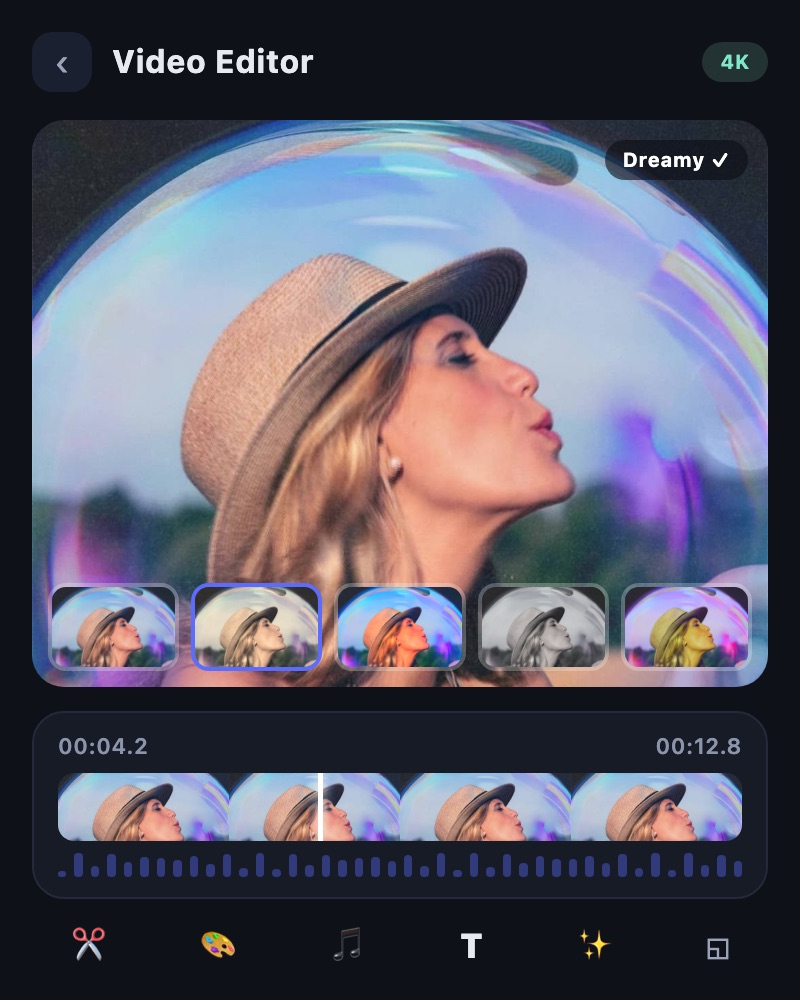
A closer look at the tools that help you turn everyday footage into a video that feels like yours.
Combine videos and photos, trim and split clips, change their order, and add transitions at the cuts. Shape your sequence without starting over.
Trim · Split · Reorder
Add picture-in-picture video or images, text, and stickers. Use masks, overlays, and blend modes to build a more expressive composition.
PIP · Mask · Blend
Adjust clip speed or shape a speed curve for changing tempo. Use reverse playback and transitions to give highlights their own rhythm.
Speed curve · Reverse
Explore filters and effects, refine color adjustments, and add motion blur. Carry a visual mood through the edit.
Filters · Adjust · Motion blur
Add titles and captions with editable text styling, placement, and timing. Combine them with stickers to emphasize the moments that matter.
Text · Sticker
Add music and sound effects, record a voiceover, or separate audio from a clip. Adjust volume and fades to balance your soundtrack.
Music · SFX · Record
Choose portrait, square, or widescreen layouts for Shorts, Reels, or YouTube. Crop, rotate, and position your footage to suit the frame.
9:16 · 1:1 · 16:9
Save a draft on your device and resume editing later. Preview your work, then choose resolution, quality, and frame rate when exporting.
Draft · Preview · Export
Feature availability depends on the app version, device, and selected tool. Check the app for processing options and ticket costs.
Choose your starting point. Make it your own. Get it ready to share.
Import video and photos, or create new footage with TOVA’s AI generation tools.
Arrange clips, add layers and text, shape color, and build your soundtrack in the video editor.
Preview and export your edit. Use enhancement, comparison, or compression tools whenever your project needs them.
Open Video Editor in the TOVA mobile app’s tools screen. Keep the app updated to access the expanded editing tools. This webpage introduces the app’s features.
Yes. Build a sequence with photos and video clips, then add text, picture-in-picture, music, sound effects, and recorded voiceover.
Availability and processing options depend on the app version, device, and selected tool. AI generation and some cloud features may require tickets. Check the options and costs shown in the app.
Create, edit, and enhance with TOVA on iOS and Android.